Key points
- GST on freight paid to a Goods Transport Agency (GTA) under reverse charge is 5% (2.5% CGST + 2.5% SGST, or 5% IGST), and the recipient pays it, not the transporter.
- Tax payable under reverse charge on GTA services can be paid only from the electronic cash ledger; it cannot be set off against existing input tax credit.
- In TallyPrime 7.2, the freight ledger needs 'Is Reverse Charge Applicable' set to Yes in the GST Rate & Related Details screen, and the purchase voucher must not carry CGST or SGST ledgers.
- The RCM liability and matching input credit are booked in TallyPrime 7.2 through a Journal voucher using Stat Adjustment (Alt+J) with the nature 'Increase of Tax Liability & Input Tax Credit'.
- In GSTR-3B, GTA freight under reverse charge is reported as liability in Table 3.1(d) and as input credit in Table 4(A)(3) of the same return.
Your client's transporter bill says ₹40,000 freight, GST payable by recipient. You post it in Tally, open GSTR-3B, and the RCM row is either blank or shows tax with no matching credit. The bill was easy. The two entries after it are where most offices go wrong, and the portal does not forgive a mismatch.
What is RCM on GTA?
A Goods Transport Agency issues a consignment note and carries goods by road. Under Notification 13/2017-Central Tax (Rate), when a factory, company, firm, society or any registered person pays that freight, the recipient pays the 5% GST to the government instead of the transporter. You pay it in cash, then claim the same amount back as input credit. The cash goes out; the credit comes back in the same return.
How to Record RCM on GTA Freight in TallyPrime 7.2 — Step by Step
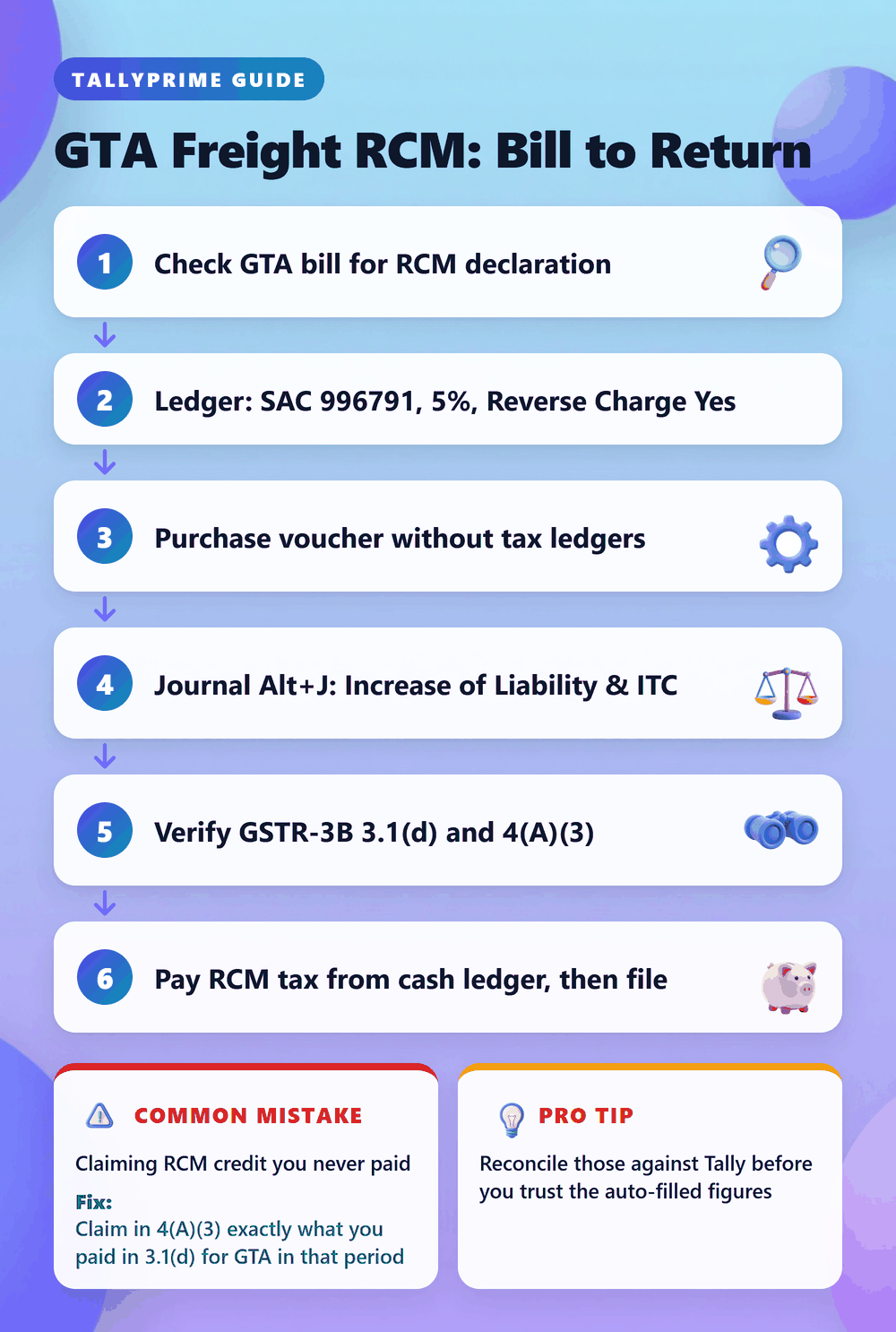
- Read the GTA invoice before you touch Tally. Look for the declaration that tax is payable by the recipient under reverse charge, and confirm the transporter is not charging GST on the face of the bill. A GTA that has opted for forward charge bills GST itself. Book that as a normal taxable purchase, not RCM, or you pay tax twice.
- Create the freight ledger. Go to Gateway of Tally > Create > Ledger, name it 'Freight Inward (GTA RCM)', and place it under Direct Expenses. Set GST Applicability to Applicable, then open GST Rate & Related Details. Enter SAC 996791, Taxability as Taxable, GST rate 5%, and set 'Is Reverse Charge Applicable' to Yes. Tally tip: if that field does not appear, press F12 (Configure) inside the ledger screen and enable the option to show reverse charge details.
- Create or check the transporter ledger under Sundry Creditors. Fill state and pincode, set Registration Type to Regular, and enter the GSTIN. The state decides CGST plus SGST versus IGST. A wrong state flips the tax head and your 3B will show IGST that never existed.
- Record the bill. Gateway of Tally > Vouchers > F9 (Purchase), press Ctrl+H and choose Accounting Invoice. Enter the GTA's invoice number and date, credit the transporter ₹40,000, and debit Freight Inward (GTA RCM) ₹40,000. Do not select CGST or SGST ledgers. Tally tip: press Ctrl+I (More Details) or check the tax analysis with Alt+A; TallyPrime 7.2 computes ₹1,000 CGST and ₹1,000 SGST as reverse charge liability without adding it to the party balance.
- Book the liability and credit. Gateway of Tally > Vouchers > F7 (Journal), press Alt+J (Stat Adjustment). Choose Type of Duty/Tax: GST, Nature of Adjustment: Increase of Tax Liability & Input Tax Credit, Additional Nature: Purchase under Reverse Charge. Debit CGST Input and SGST Input ₹1,000 each; credit CGST Output and SGST Output ₹1,000 each. All four ledgers must sit under Duties & Taxes, with Type of Duty/Tax set to GST and Tax Type set to Central Tax or State Tax (Integrated Tax for IGST). If any ledger is under Current Liabilities, or the tax type is blank, the Stat Adjustment will not flow into the GSTR-3B report.
- Check the report. Gateway of Tally > Display More Reports > GST Reports > GSTR-3B. The freight value and tax should appear under Inward supplies liable to reverse charge (3.1(d)), and the credit under ITC on inward supplies liable to reverse charge (4(A)(3)). Tally tip: drill down with Enter on any row showing in Uncertain Transactions; it is almost always a ledger with missing SAC or tax type.
- File and pay on the portal. In GSTR-3B, verify 3.1(d) and 4(A)(3) against your Tally figures, then pay the RCM portion from the cash ledger before filing. Record that challan in Tally as a Payment voucher with Stat Payment. The portal will not let you offset RCM tax from the credit ledger, so keep enough cash in the electronic cash ledger before the 20th.
Mistakes That Cost Indian CAs Hours
- Adding CGST and SGST ledgers in the purchase voucher. The transporter's balance jumps to ₹42,000 and someone pays him tax he never charged. Fix: alter the voucher, remove both tax lines, and leave the creditor at the bill value only.
- Skipping the Stat Adjustment journal. Tally shows the RCM liability in the report, but your Input and Output ledgers stay at zero, so the books never show the credit and the payment voucher has nothing to set off. Fix: pass one journal per month for the total RCM tax using Alt+J and Purchase under Reverse Charge.
- Relying on the old small-consignment exemption. The exemption for freight up to ₹1,500 per consignment (₹750 per consignee) was withdrawn from 18 July 2022. Files from older years sometimes still carry this logic in their ledger setup. Fix: treat every taxable GTA bill paid by a liable recipient as RCM, except notified exempt goods such as agricultural produce, milk, salt and food grains.
- Claiming RCM credit you never paid. The GST portal keeps a Reverse Charge ITC Statement comparing RCM tax paid in 3.1(d) with RCM credit claimed in 4(A)(2) and 4(A)(3). Over-claiming throws a warning and becomes a notice later. Fix: claim in 4(A)(3) exactly what you paid in 3.1(d) for GTA in that period.
- Ignoring the 60-day rule. Under Section 13(3) of the CGST Act, time of supply for RCM services is the earlier of payment date or 60 days from the invoice date. An unpaid October bill still triggers liability by December. Fix: run Outstanding Payables on transporter ledgers each month and pick up bills older than 60 days.
Pro Tips for 2026
A registered GTA reports its RCM invoices in its own GSTR-1, so they appear in your GSTR-2B under the reverse charge section and pre-fill 3B. Reconcile those against Tally before you trust the auto-filled figures; a transporter who forgot the RCM flag will show as forward charge in 2B. You do not need a self invoice when the GTA is registered, because its invoice is your document for credit; the self invoice under Section 31(3)(f) applies only to unregistered suppliers. Finally, freight already included in your supplier's invoice is part of their supply value, not a GTA service to you. Do not book RCM on it.
Use this infographic on your site
Free to share. Copy this code and keep the credit link.
Q: How to do RCM on GTA entry in TallyPrime 7.2?
Create a freight ledger under Direct Expenses with SAC 996791, 5% GST and 'Is Reverse Charge Applicable' set to Yes. Record the GTA bill in a Purchase voucher without any tax ledgers. Then pass a Journal with Alt+J Stat Adjustment, nature Increase of Tax Liability & Input Tax Credit, debiting Input and crediting Output GST ledgers.
Q: Can I claim ITC on RCM paid to GTA in the same GSTR-3B?
Yes. Report the liability in Table 3.1(d) and the same tax as credit in Table 4(A)(3) of one return. The credit is usable once the cash payment is made, which happens when you file that return.
Q: Can RCM on GTA be paid using input tax credit?
No. Tax under reverse charge must be paid from the electronic cash ledger. Credit from other purchases can be used only for your output tax on forward-charge sales.
Q: How is RCM on GTA different in Tally ERP 9 versus TallyPrime 7.2?
The logic is identical: reverse charge flag on the ledger, purchase without tax lines, and a Stat Adjustment journal. In Tally ERP 9 the GSTR-3B report is under Gateway of Tally > Display > Statutory Reports > GST > GSTR-3B. In TallyPrime 7.2 it is under Display More Reports > GST Reports > GSTR-3B.
Q: Should I pass the RCM liability journal for every GTA bill or once a month?
Once a month is enough. Add up the RCM tax on all GTA bills for the return period and pass a single Stat Adjustment journal dated within that month. Match its total to Table 3.1(d) before filing.