Key points
- An e-invoice under reverse charge is generated by the supplier, not the recipient, when the supplier's aggregate turnover in any year from 2017-18 has crossed ₹5 crore and the recipient is a registered person.
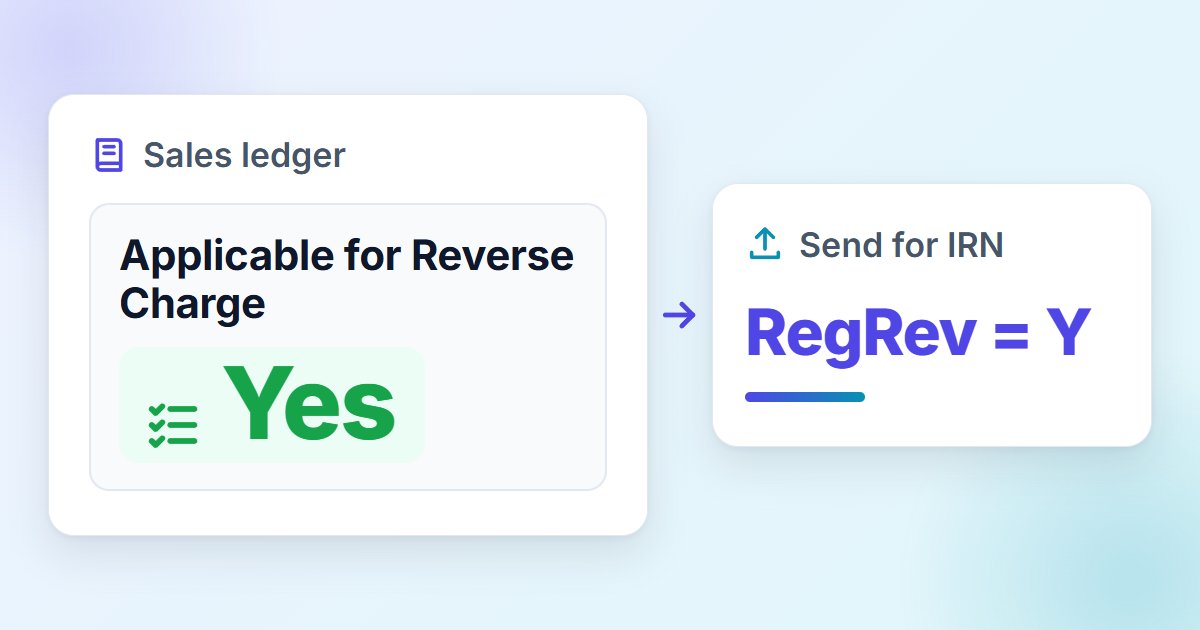
- In a reverse charge e-invoice, the tax is not charged on the invoice, and the reverse charge field (RegRev) in the e-invoice JSON is set to Y.
- A self-invoice raised by a recipient for purchases from an unregistered supplier is issued under Section 31(3)(f) of the CGST Act, and the e-invoice notification covers supplies made to registered persons, so a self-invoice is not sent to the IRP unless a newer notification says otherwise.
- A goods transport agency (GTA) is exempt from e-invoicing, so a GTA freight invoice under reverse charge does not need an IRN even when the GTA's turnover is above ₹5 crore.
- In TallyPrime 7.2, a reverse charge sales invoice is marked through the sales ledger's GST details (Applicable for Reverse Charge: Yes) and sent for IRN from the save prompt or from the e-Invoice report.
A client forwards a video and asks, "Do we now have to generate an IRN for every RCM self-invoice?" Half your team starts looking for an e-invoice button on a purchase voucher. There isn't one, and that is the first clue. The RCM e-invoice that actually goes to the IRP is a different document, raised by a different person, and TallyPrime 7.2 handles it from the sales side.
What is an E-Invoice for RCM?
An RCM e-invoice is a normal B2B tax invoice where the recipient, not the supplier, pays the GST. The supplier reports it to the IRP, gets an IRN and QR code, but charges no tax on the face of the invoice. The JSON carries RegRev = Y, which tells the system the liability sits with the buyer. Think of it as a regular e-invoice with the tax column handed across the table. The buyer then pays that tax in cash through GSTR-3B.
Which RCM Invoices Actually Need an IRN
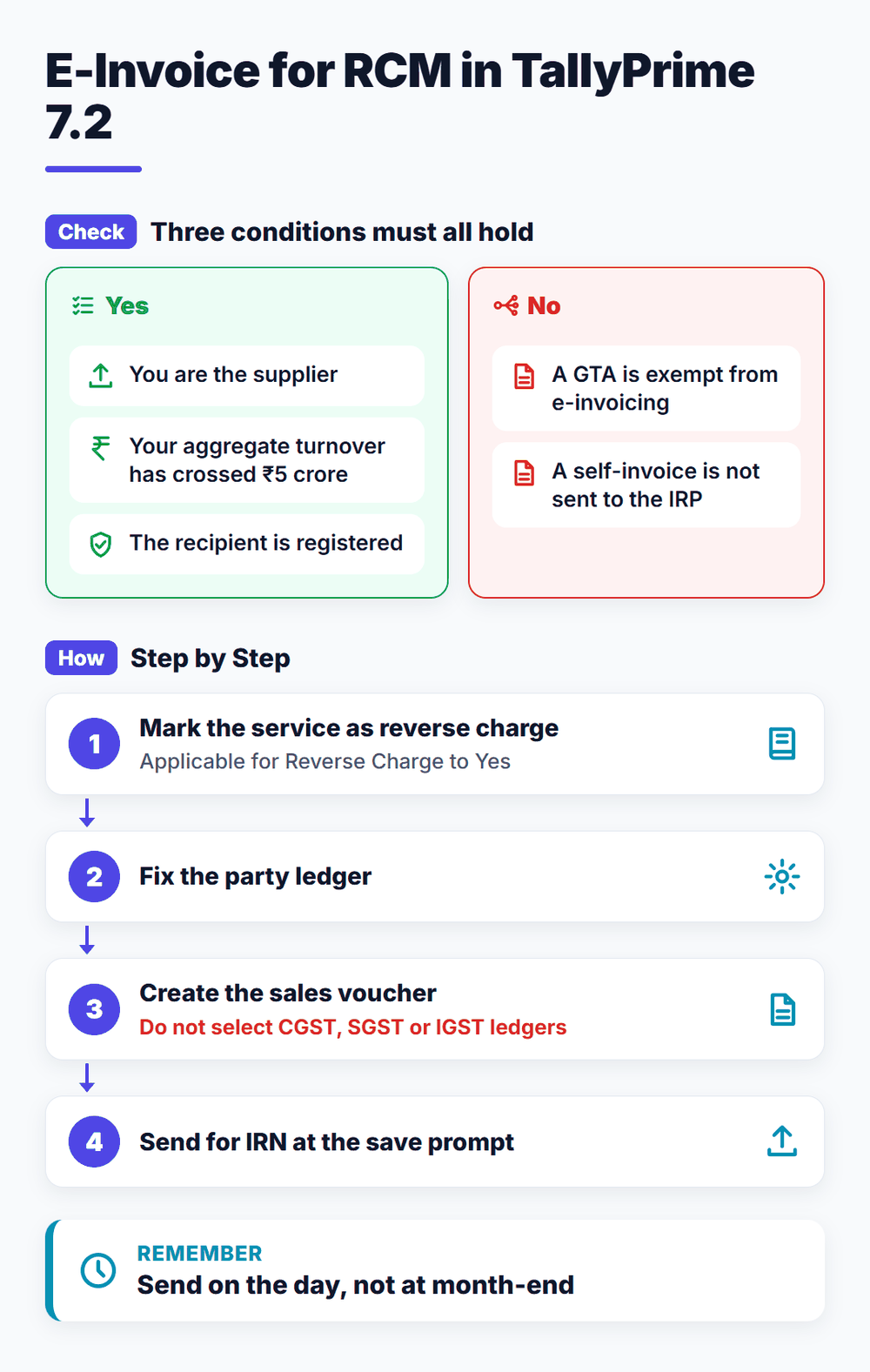
Run this check before touching Tally. Three conditions must all hold. You are the supplier. Your aggregate turnover has crossed ₹5 crore in any financial year from 2017-18 onwards. The recipient is registered. Typical cases are a security agency run as a partnership firm billing a registered company, a law firm of advocates billing a business entity, or a non-corporate supplier renting motor vehicles to a body corporate. Two cases fall outside. A GTA is exempt from e-invoicing altogether. And a self-invoice for purchases from an unregistered person, or for import of services, is raised by the recipient for an inward supply. Unless a newer notification changes the scope, the IRP is not the place for it. If someone tells you otherwise, read the latest notification and the advisory on the e-invoice portal yourself before changing your client's process.
How to Generate an E-Invoice for RCM in TallyPrime 7.2 — Step by Step
- Switch on e-invoicing for the company. Go to Gateway of Tally > Alt+G (Go To) > Alter Master > GST Registration, select the registration, and set e-Invoicing Applicable to Yes with the correct Applicable From date and e-Invoice bill-from place. Tally tip: the e-invoice login is not your GST portal login. Create an API user on the e-invoice portal under API Registration > Through GSP and choose Tally (India) Pvt Ltd as the GSP.
- Mark the service as reverse charge on the sales ledger. Go to Alt+G > Alter Master > Ledger, open the income ledger (for example "Security Services - RCM"), and under GST Rate & Related Details set Taxability to Taxable, the rate (18% for security services), and Applicable for Reverse Charge to Yes. If you reuse your normal sales ledger, every non-RCM invoice posted to it will also be flagged. Keep a separate ledger for reverse charge income.
- Fix the party ledger before the first invoice. In the customer ledger, Registration Type must be Regular, the GSTIN must be valid, and the State and Pincode must match the GSTIN. The IRP validates the pincode against the state. A blank or wrong pincode is the most common reason an otherwise correct invoice gets rejected.
- Create the sales voucher. Go to Alt+G > Create Voucher > F8 (Sales). Press Ctrl+H and choose Accounting Invoice if it is a service. Select the party, then the RCM sales ledger, and enter the taxable value only. Do not select CGST, SGST or IGST ledgers. Tally tip: open Tax Analysis from the right-hand panel before saving. It should show the tax as payable by the recipient under reverse charge, not as output tax in your books.
- Send for IRN at the save prompt. When you press Ctrl+A, TallyPrime 7.2 asks whether to send the invoice for e-invoicing. Choose Yes and log in with the e-invoice API credentials. Tally stores the IRN, Ack No, Ack Date and QR code inside the voucher. If your client's AATO is ₹10 crore or more, the IRP will not accept an invoice older than 30 days. Send on the day, not at month-end.
- Clear anything pending from the e-Invoice report. If you skipped the prompt or the connection dropped, go to Gateway of Tally > Display More Reports > GST Reports > e-Invoice. Pending invoices appear under "Ready to Send". Select them and send in one go. Tally tip: invoices with master errors sit in a separate "Information Required" section. Drill down, fix the ledger, and they move to ready.
- Print and check the face of the invoice. Press Alt+P from the voucher. The print should show the IRN, the QR code and the line "Tax payable on reverse charge: Yes". If the reverse charge line is missing, the ledger flag from step 2 did not apply. Correct it before the invoice reaches the client, because an IRN can only be cancelled within 24 hours.
Mistakes That Cost Indian CAs Hours
- Generating IRNs for GTA freight bills: a GTA is exempt from e-invoicing, so an IRN on a GTA bill creates a document the law does not require and complicates later corrections. Fix: in the GTA client's company, keep e-Invoicing Applicable as No, or ensure the GTA voucher type is excluded from e-invoicing.
- Charging CGST and SGST on an RCM invoice: the IRP accepts it, the client pays tax twice (you collect it, they also pay under RCM), and your GSTR-1 shows the supply in Table 4A instead of Table 4B. Fix: cancel the IRN within 24 hours and re-issue; after 24 hours, issue a credit note and a fresh invoice.
- Looking for an e-invoice option on an RCM self-invoice: the self-invoice for an unregistered supplier is a purchase or journal voucher, and TallyPrime does not offer e-invoicing there because it is an inward supply. Fix: record the self-invoice as described in the RCM self-invoice guide, issue it within 30 days of receiving the supply under Rule 47A, and pay the tax in cash through GSTR-3B Table 3.1(d).
- Flagging the whole sales ledger as reverse charge: a firm that sells both RCM and forward-charge services ends up with every invoice reported as RCM. Fix: split income into two ledgers, one with Applicable for Reverse Charge set to Yes and one without, and pick the right one per invoice.
- Leaving IRN generation to month-end: for clients with AATO of ₹10 crore or more, the IRP rejects invoices more than 30 days old, and there is no override. Fix: generate the IRN at save, and check the e-Invoice report every week for anything still pending.
Pro Tips for 2026
Make a dedicated voucher type, such as "Sales - RCM", with its own numbering series. When the client's GST team reconciles Table 4B of GSTR-1, they can filter on one voucher type instead of scanning every invoice. Second, after the IRN is generated, compare GSTR-1 Table 4B on the portal against TallyPrime's GSTR-1 report. The IRP auto-populates GSTR-1, so a mismatch usually means one invoice was raised in Tally without being sent. Third, if the client upgraded from 7.1 to 7.2 this year, open one old RCM ledger and confirm the reverse charge flag carried over. It should, but checking one ledger now is cheaper than correcting a quarter of invoices later.
Use this infographic on your site
Free to share. Copy this code and keep the credit link.
Q: How to generate e invoice for RCM in TallyPrime 7.2?
Set Applicable for Reverse Charge to Yes in the sales ledger's GST details, raise the sales invoice without tax ledgers, and choose Yes when TallyPrime 7.2 asks to send it for e-invoicing. Tally fetches the IRN and QR code, and the e-invoice is reported with RegRev = Y.
Q: Is e-invoice required for RCM self-invoice on purchase from an unregistered person?
No, not under the current notification scope, which covers supplies made to registered persons. A self-invoice is issued by the recipient for an inward supply under Section 31(3)(f), so it is not sent to the IRP. Check the latest notification before changing practice if a new advisory is issued.
Q: Does a GTA need to generate an e-invoice for freight under reverse charge?
No. A goods transport agency is exempt from e-invoicing, regardless of turnover. The GTA issues a normal tax invoice mentioning that tax is payable on reverse charge.
Q: How is RCM e-invoicing different in Tally ERP 9 vs TallyPrime 7.2?
TallyPrime 7.2 sends the invoice to the IRP online and stores the IRN and QR code inside the voucher. Tally ERP 9 relies on exporting the e-invoice JSON and uploading it on the portal, and it no longer receives updates. If the client is still on ERP 9, the reverse charge flag works the same way, but the IRN has to be brought back into the voucher manually.
Q: How long does it take to set up RCM e-invoicing in Tally for a client?
Setup is one-time: the e-invoice API user, the GST registration settings, and one RCM sales ledger. After that, each RCM invoice is generated exactly like a normal e-invoice. Most of the effort is in fixing party ledger pincodes and GSTINs before the first invoice.