Key points
- In TallyPrime 7.2, ITC reversal is a Journal voucher (F7) marked through Stat Adjustment (Alt+J).
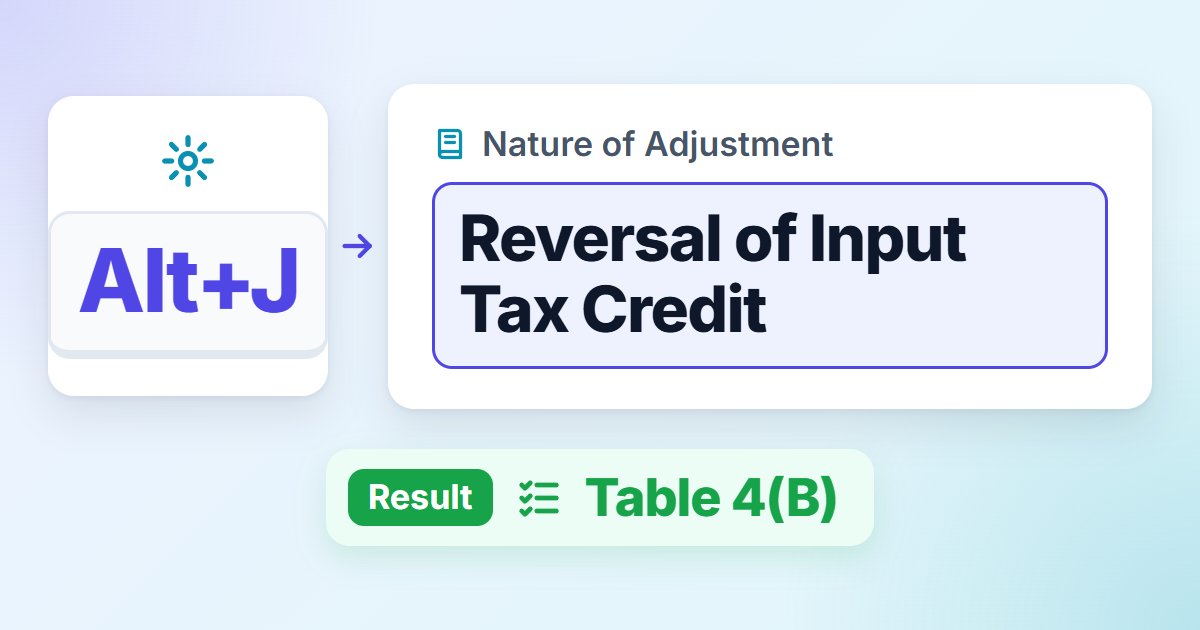
- The Nature of Adjustment for an ITC reversal journal in TallyPrime is Reversal of Input Tax Credit.
- A reversal journal passed without Alt+J does not reach GSTR-3B Table 4(B) in TallyPrime.
- GSTR-3B Table 4(B)(1) holds permanent reversals under Rules 38, 42, 43 and Section 17(5).
- GSTR-3B Table 4(B)(2) holds reclaimable reversals, such as Rule 37 non-payment within 180 days.
Your books show the reversal. Your GSTR-3B report in Tally does not. Table 4(B) sits at zero. Nine times out of ten, one setting is missing.
What is ITC Reversal in GST?
ITC reversal means giving back credit you already claimed. The law decides when. You paid a supplier late, beyond 180 days. Goods went into exempt supplies. Credit was blocked under Section 17(5). Stock became exempt under Section 18(4). Think of it as returning a deposit you took too early. In Tally, you reduce the Input CGST, SGST or IGST ledger. In GSTR-3B, the amount goes into Table 4(B).
How to Pass an ITC Reversal Entry in TallyPrime 7.2 - Step by Step
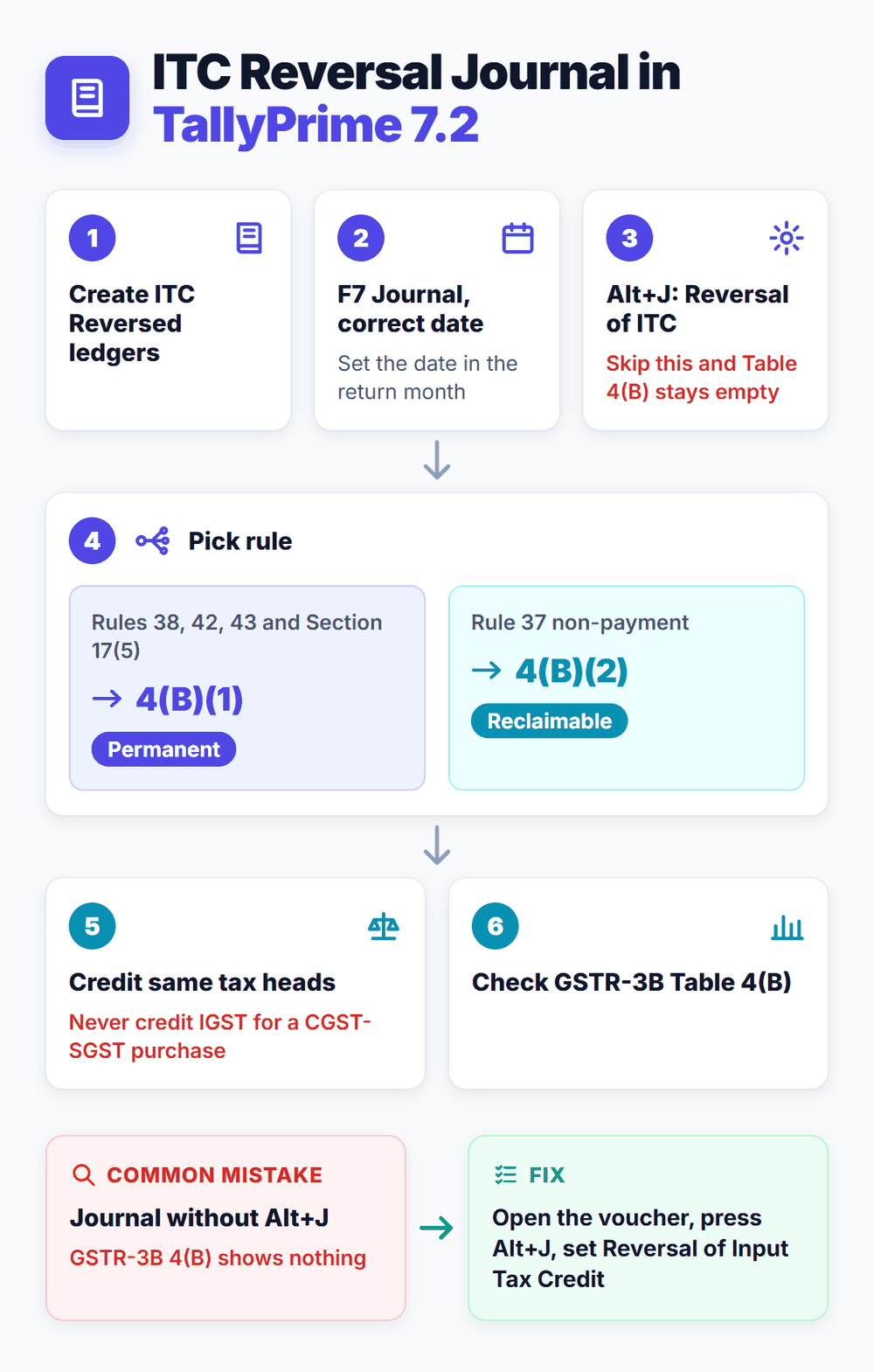
- Create two ledgers first. Gateway of Tally > Create > Ledger. Name one ITC Reversed - Permanent. Name the other ITC Reversed - Reclaimable. Put both under Indirect Expenses. Set GST Applicability to Not Applicable. Tally tip: two ledgers let you match the portal's reclaim balance later.
- Open the journal. Gateway of Tally > Vouchers > F7 Journal. Set the date in the return month. The date decides which GSTR-3B month picks it up.
- Press Alt+J for Stat Adjustment. Set Type of Duty/Tax to GST. Set Nature of Adjustment to Reversal of Input Tax Credit. Skip this and Table 4(B) stays empty.
- Pick the reason under Additional Details. Choose the matching rule, or Others. Rules 38, 42, 43 and Section 17(5) go to 4(B)(1). Rule 37 non-payment goes to 4(B)(2). Tally tip: the reason decides the sub-row, not the ledger name.
- Debit the ITC Reversed ledger. Credit Input CGST and Input SGST, or Input IGST. Use the same tax heads as the original bill. Never credit IGST for a CGST-SGST purchase.
- Write the bill numbers in the narration. Add supplier name and original invoice date. Save with Ctrl+A. Tally tip: an auditor asks for this list every time.
- Check the return. Gateway of Tally > Display More Reports > GST Reports > GSTR-3B. Drill into Table 4(B). If the voucher shows under Uncertain Transactions, reopen it and fix Alt+J.
Mistakes That Cost Indian CAs Hours
- Journal without Alt+J. Tally cannot classify it. GSTR-3B 4(B) shows nothing. Fix: open the voucher, press Alt+J, set Reversal of Input Tax Credit.
- Debiting the supplier or purchase ledger. Supplier balance and purchase register both go wrong. Fix: debit a separate ITC Reversed ledger instead.
- Wrong reason picked. A Rule 37 reversal lands in 4(B)(1). The portal then treats it as permanent. Reclaim later gets messy. Fix: change Additional Details before filing.
- Reversing twice. Accountant passes a journal, then edits 3B on the portal too. Credit ledger drops double. Fix: file 3B from Tally figures, or do not override them.
- Wrong tax head. Original bill had CGST and SGST. Reversal credits IGST. Ledgers stop matching the credit ledger. Fix: reverse head for head.
Pro Tips for 2026
Match your Reclaimable ledger to the portal every quarter. The portal's Electronic Credit Reversal and Reclaimed Statement shows the same balance. A gap means a missed reclaim or a wrong sub-row. For Rule 37A, check FY 2025-26 bills where suppliers never filed GSTR-3B by 30 September 2026. The reversal is due by 30 November 2026. For Section 18(4) stock reversals, also file Form GST ITC-03 within 30 days. Use invoice-wise working from your stock list. When you reclaim, pass a fresh Alt+J journal. Choose the reclaim nature, not a deletion of the old voucher.
Use this infographic on your site
Free to share. Copy this code and keep the credit link.
Q: How to do ITC reversal entry in TallyPrime 7.2?
Open F7 Journal and press Alt+J. Set Nature of Adjustment to Reversal of Input Tax Credit. Debit an ITC Reversed expense ledger. Credit the Input CGST, SGST or IGST ledgers.
Q: Why is my ITC reversal not showing in GSTR-3B in Tally?
The journal was saved without Stat Adjustment. Open it, press Alt+J, and set Reversal of Input Tax Credit. It will then appear in Table 4(B).
Q: Which ledger to debit for ITC reversal in Tally?
Debit a separate ITC Reversed ledger under Indirect Expenses. Do not debit the supplier or purchase ledger. Keep one ledger for permanent and one for reclaimable reversals.
Q: ITC reversal in Tally ERP 9 vs TallyPrime 7.2?
Both use a Journal voucher with Stat Adjustment. In Tally ERP 9, use the J: Stat Adjustment button. In TallyPrime 7.2, press Alt+J. The nature and GSTR-3B mapping work the same way.
Q: How long does an ITC reversal entry take in Tally?
One journal per reason per month is enough. The real work is the invoice list behind it. Prepare that list from GSTR-2B and your payment records first.