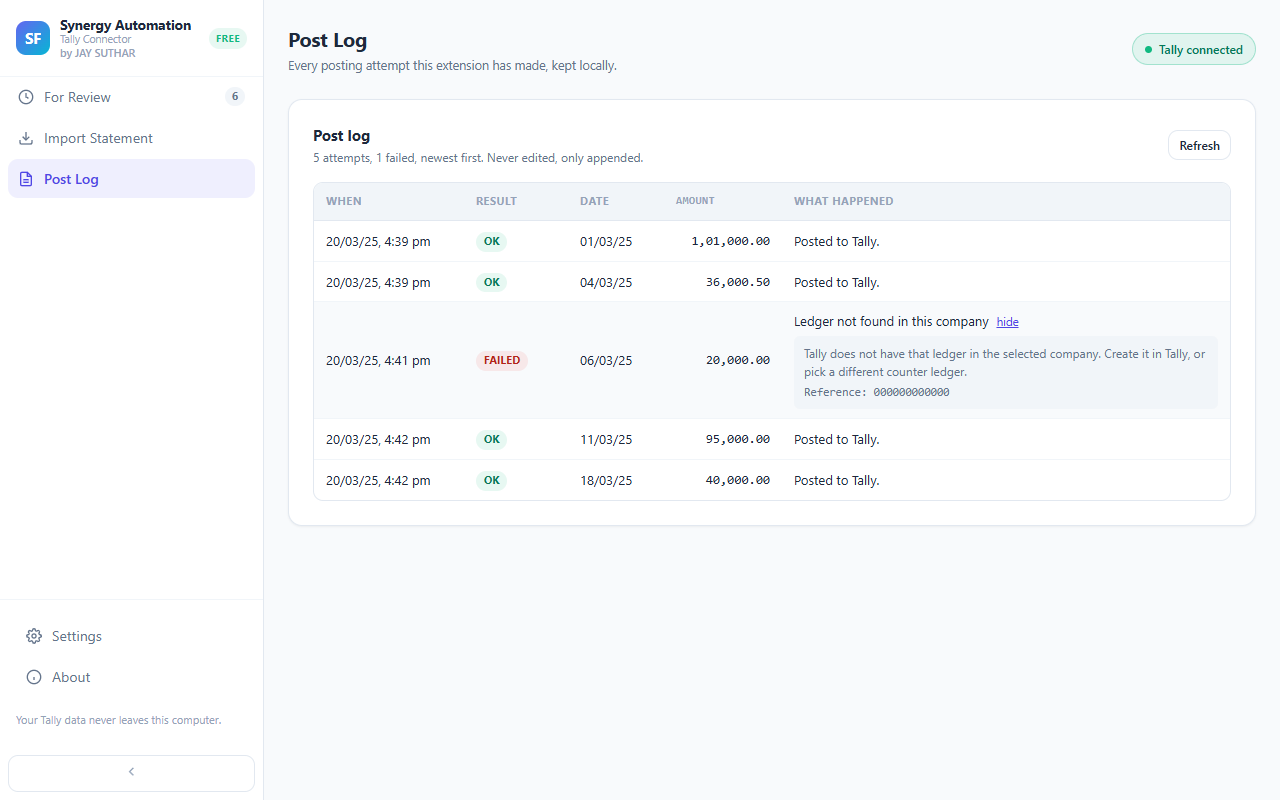
A reason you can understand
Each entry that didn’t go in shows a short, clear reason. Want more detail? Click “why?”.
A record of everything
The Post Log keeps track of every posting — what went in and what didn’t — right on your computer. Nothing is ever quietly removed from it.
The same problem, shown once
If one issue stops many entries, you see it once with a count, not a long list of identical messages.
Fix it and try again
Correct the ledger or the date and post again. Anything that already went in won’t be repeated.
Questions
What are the most common reasons an entry is refused?
A ledger that doesn’t exist in that company yet, or a date outside the period the company is open for. Both are quick to fix in Tally, and then you can post the entry again.
Where is the log kept?
On your own computer, inside the extension — and in your data folder too, if you’ve chosen one.
Goes well with
Every feature · Set it up · How it works · About the extension