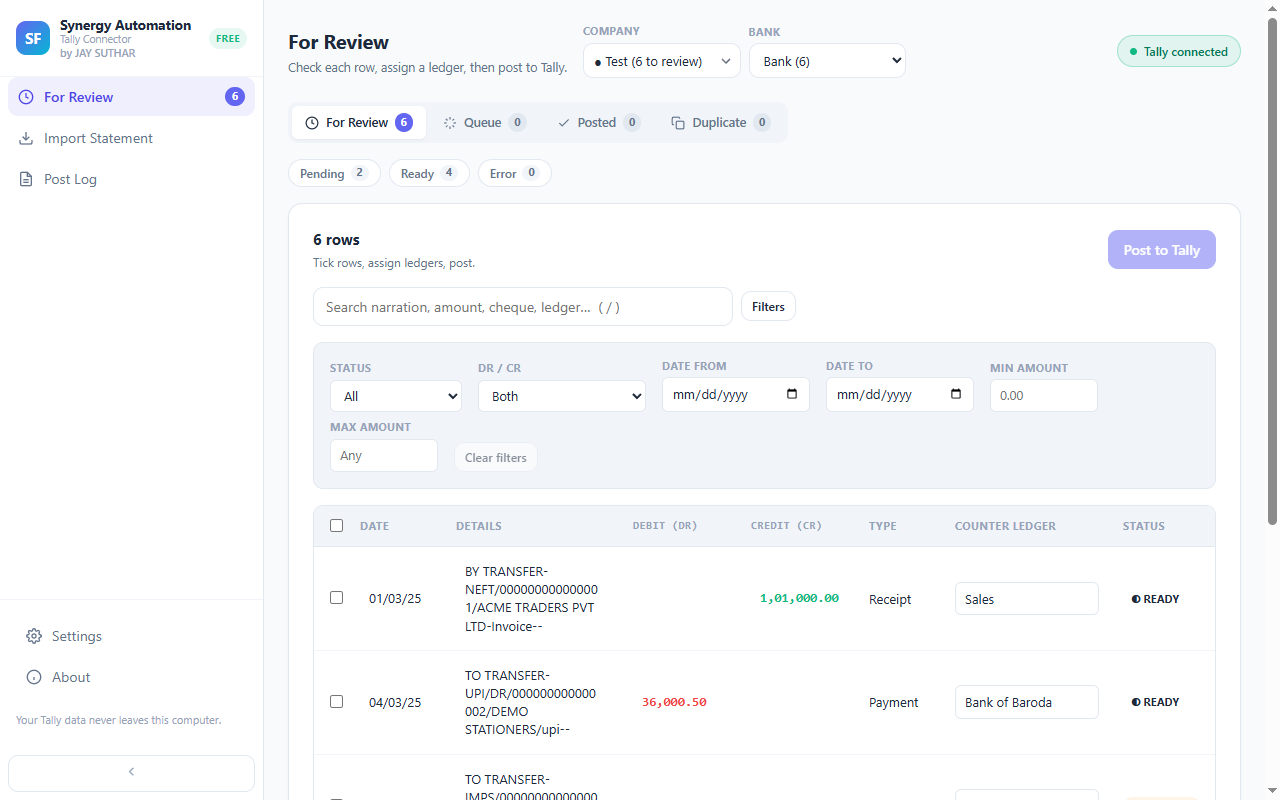
Pick them out, set it once
Show just the entries that belong together, select them all, and choose the ledger. Every one of them is done.
Find them by a word
Type a name or a word from the narration — your landlord’s name, “charges”, “UPI” — and every matching entry comes together in one place.
Even across pages
Select what’s on your screen, or everything that matches, even when it runs across several pages.
Clean up in one go too
The same selection lets you remove entries you don’t want in Tally, or send some back for another look.
Questions
Does setting a ledger in bulk change the voucher type?
Yes. Each entry’s voucher type follows the ledger you chose, so a group of transfers to your other bank account becomes Contra entries without any extra step.
Is anything posted when I set a ledger?
No. Setting a ledger only gets your entries ready. Nothing goes to Tally until you post and confirm.
Goes well with
Every feature · Set it up · How it works · About the extension