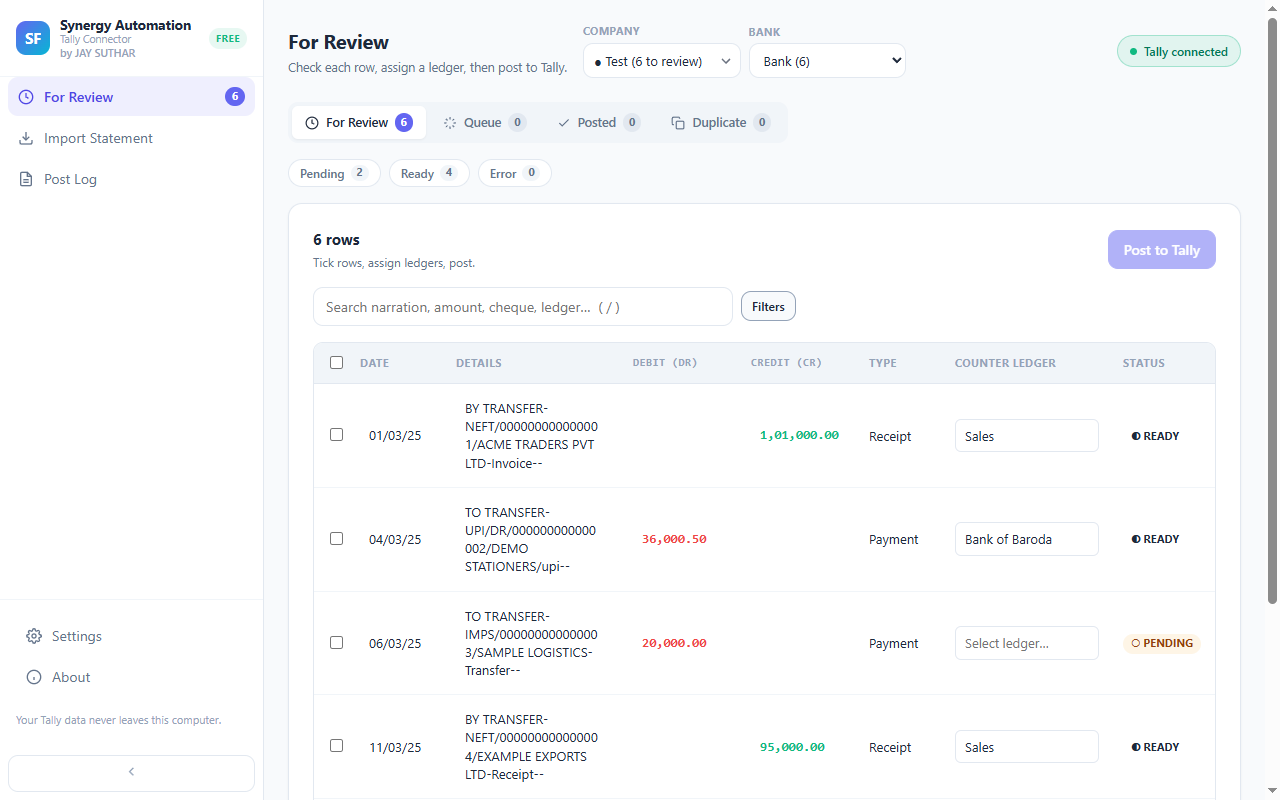
Spot a mistake? Click and fix it
A wrong date, a narration you want to tidy, an amount to correct — click it, change it, move on.
Find any entry in seconds
Type a word from the narration or an amount, and there it is. Even a long statement feels easy to get through.
Work through it your way
Look at just the payments, just the receipts, one week, or only the big amounts. Finish one group, then the next, and never wonder whether you missed something.
Totals you can match with the bank
Select a few entries and their debit and credit totals appear right away, so you can tick them off against your statement with confidence.
Entry on the wrong side? One click
If something came in as a debit when it should be a credit, flip it in one step instead of deleting it and typing it again.
Always know where you stand
What’s waiting for review, what’s queued, what’s already in Tally and what was a duplicate — each has its own tab and its own count.
Questions
Can I post half now and half later?
Yes. Tick the entries you’re ready for and post those. Everything else stays right where it is until you come back.
Can I remove entries I don’t want in Tally?
Yes. Select them and remove them. A removed entry is never written to Tally.
Goes well with
Every feature · Set it up · How it works · About the extension